Power BI tries to be helpful and auto-detects data formats such as dates, decimal numbers and integers. However if you’re dealing with zip codes, employee IDs, product IDs, etc. that have leading zeroes, you may not want them auto-converted to integers/number format which removes the leading zeroes. Here’s how to get them back.
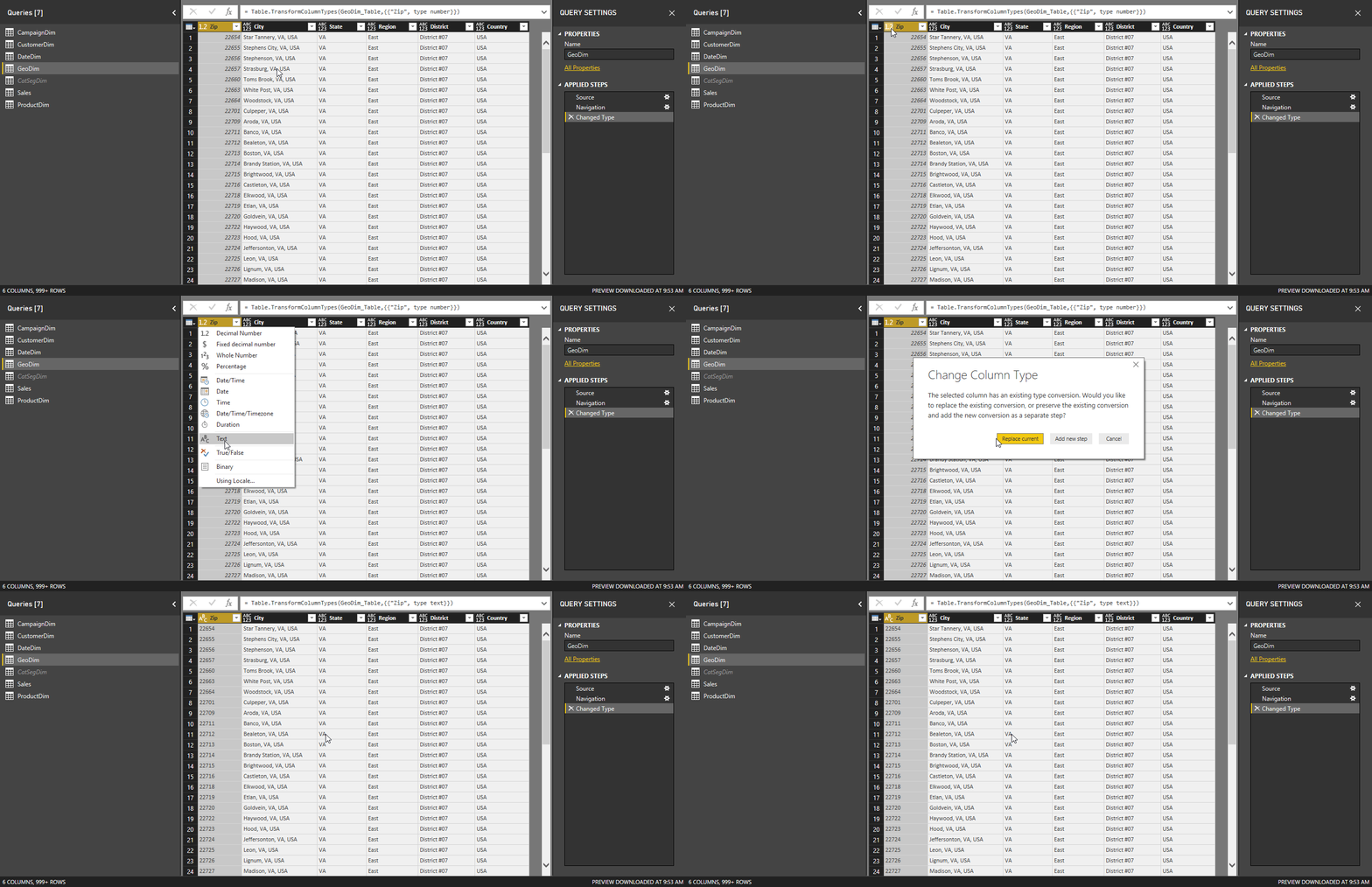
From Power Query Editor (recommended)
- Click the “Data type” icon next to the column name
- Select “Text”
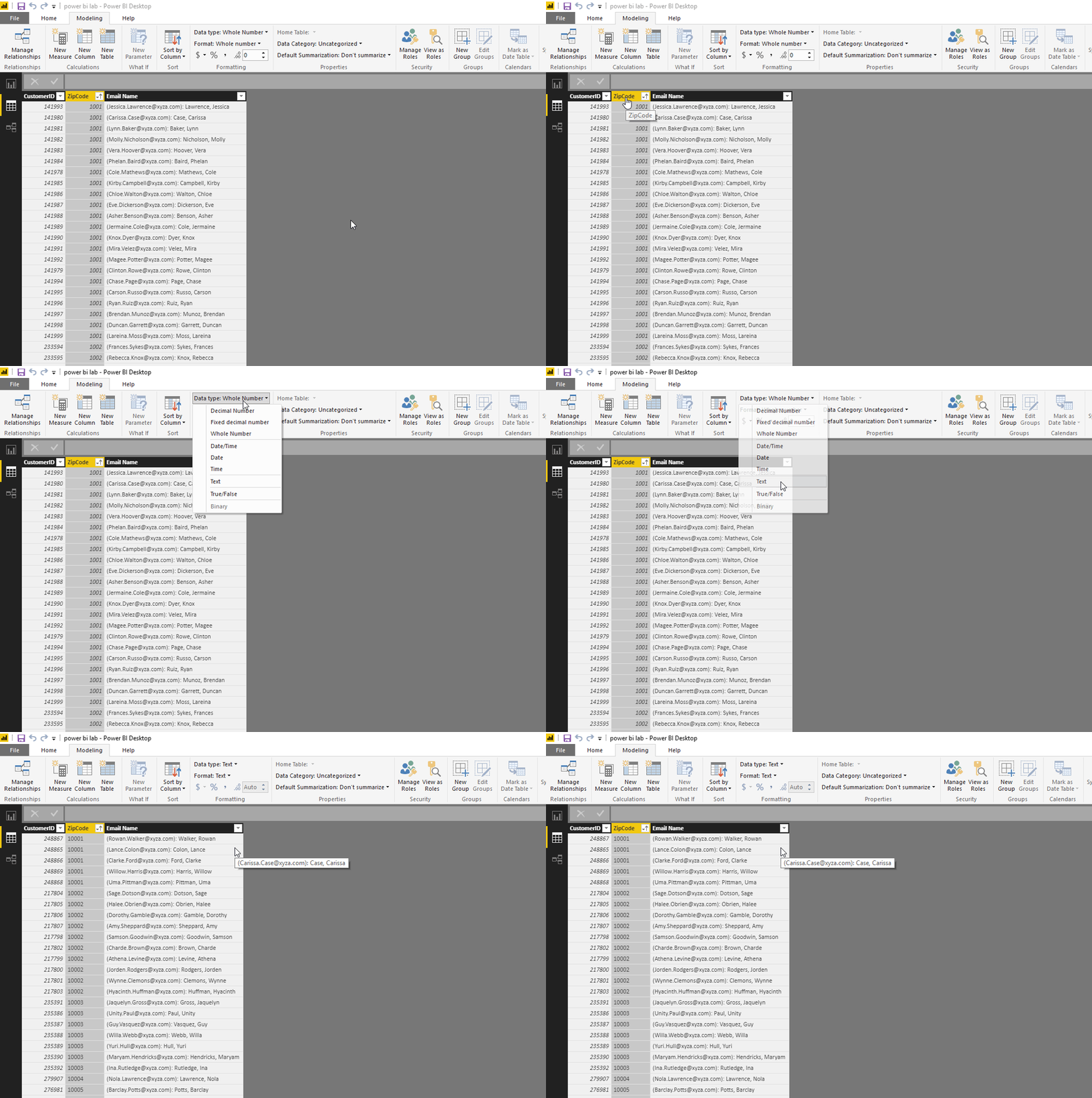
From Data Tab
- Select the column header
- From the Modeling tab, change “Data type” to “Text”