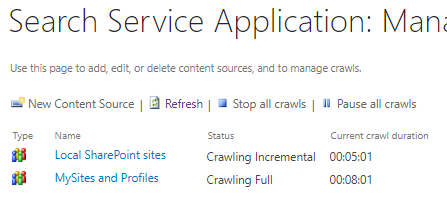
Manually start a full or incremental crawl of an on-prem content source in SharePoint

1–2 minutes

From central admin, click “Manage service applications” under “Application Management”

Select the “Search service application”

Select “Content sources” from the left under “Crawling”

Select the drop-down for the content source you’re crawling and choose either a full or incremental crawl.


Discover more from Nate Chamberlain

Subscribe to get the latest posts sent to your email.

Leave a Reply

This site uses Akismet to reduce spam. Learn how your comment data is processed.

Discover more from Nate Chamberlain

Subscribe now to keep reading and get access to the full archive.

Continue reading