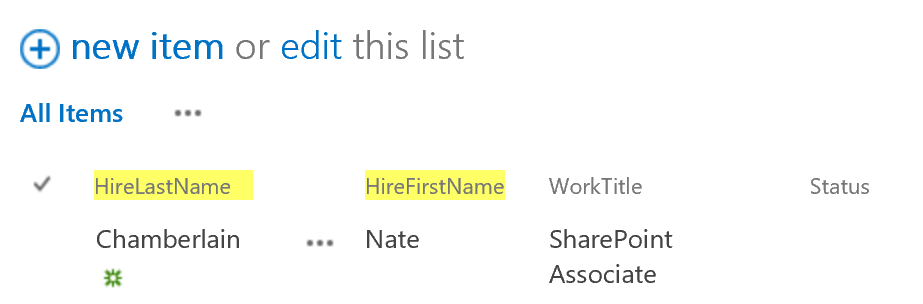
Highlighting specific column headers can be useful in drawing attention to specific information areas to make sure they’re complete or just to aid users in seeing the most important info quickly.
You can insert this script in a Script Editor webpart or save it in a css file in your Site Assets and reference the link in a content editor web part on the list page (much more accessible and easy to edit later).
Simply replace “Column1” with the exact name of your column header. Repeat the script as many times as you wish for each column header you want to highlight. Remember to change the script if you change a column name. And if this yellow isn’t your thing, check out this color wheel to help pick a new color code to use in your script.
<style>

.ms-vh-div[DisplayName="Column1"]

{

background-color:#FFFF66;

}

.ms-vh-div[DisplayName="Column2"]

{

background-color:#FFFF66;

}

</style>